
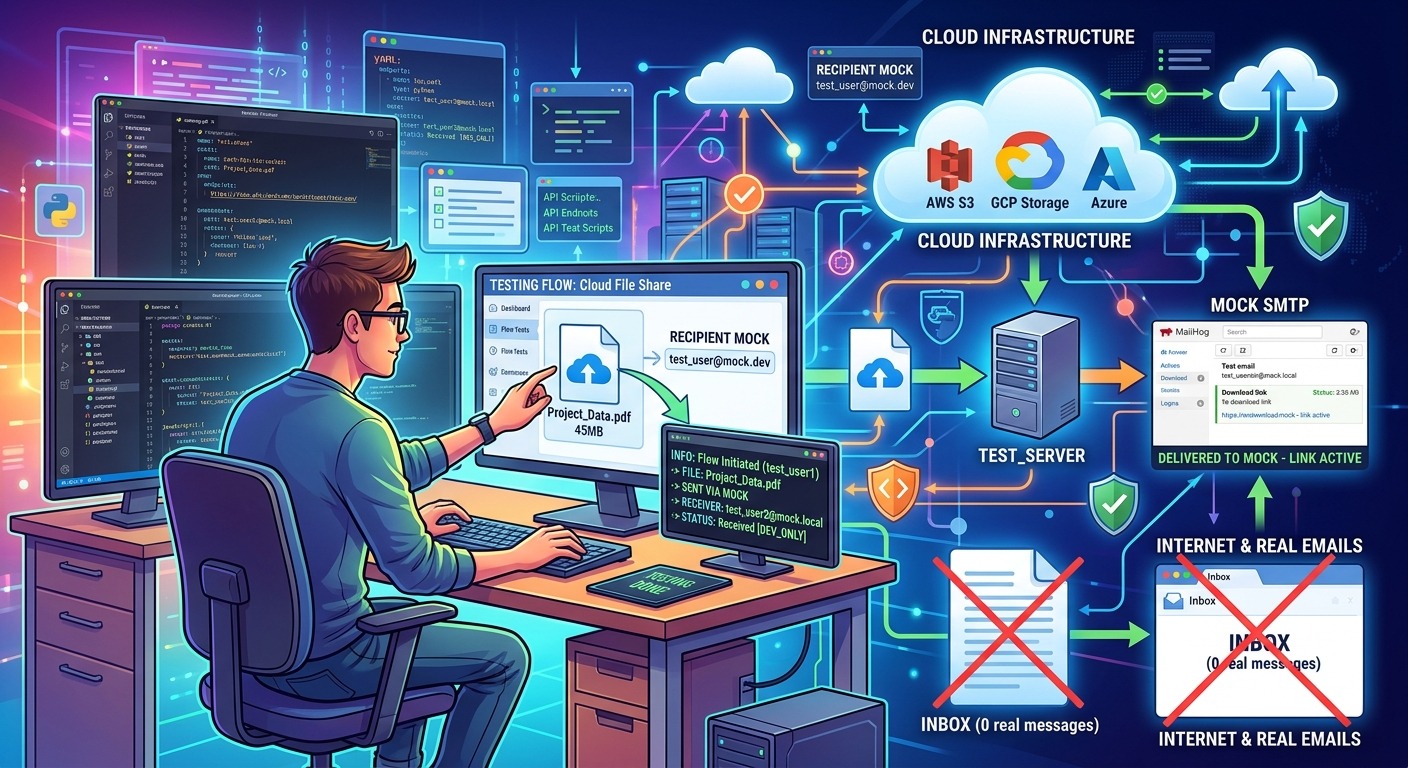
When a file sharing feature reaches staging, the upload handler performs correctly, the pre-signed URL resolves, and the access token lands in the database right on schedule. Then the notification fires. Somewhere, a real email address receives a download link pointing at synthetic test data. That moment quietly undermines the entire test pipeline, not because the code is broken, but because nobody built a safe place for those emails to land.
End-to-end testing of file sharing notifications requires as much care for the email layer as for the storage layer itself.
- Share notification emails carry access tokens and download links that must be validated under realistic conditions
- Routing those test emails to real inboxes creates data leakage risk and potential compliance exposure
- Provisioning a throwaway recipient address gives you a clean, inspectable, fully disposable target for every test run
Why the Email Layer Gets Skipped in Cloud Test Pipelines
Storage and transfer logic gets careful attention. Access control logic gets careful attention. Email notifications often get treated as a side effect, something to stub out or hard-code to a shared team address and then forget about.
That approach fails for two reasons. First, the email is not decorative. In a cloud file sharing context, the notification typically carries the download link, the access token, or a scoped pre-signed URL. If that payload is malformed, the share is broken. If it never arrives, the recipient has no way to retrieve the file. Testing the notification in isolation is not sufficient. You need the full end-to-end path: share event triggers notification service, notification service composes and dispatches the email, recipient address receives it, and the link inside it resolves correctly.
Second, when teams do wire up a real recipient, they almost always use a developer’s personal inbox or a shared team alias. Both choices introduce noise, risk accidental exposure of test tokens, and can make debugging a delivery failure genuinely difficult.
Mapping the Full Architecture of a File Share Notification Flow
Before deciding where an email testing strategy fits, it helps to understand all the moving parts in a typical cloud file sharing notification pipeline.
A standard flow looks roughly like this: a user initiates a share action, which triggers a backend event. That event is picked up by a notification service, which generates a time-scoped access token or pre-signed URL, composes an email with a call-to-action link, and dispatches it through an SMTP relay or transactional email provider. The recipient then opens that email, clicks the link, and the download is authenticated.
Each step has a potential failure mode. The token could be malformed. The URL could point at the wrong storage bucket or region. The link could expire before the recipient opens the email in a slow test environment. The email itself might never arrive, silently failing the notification step.
Testing all of those paths requires a recipient address that actually receives emails, not a stubbed service that claims it did.
The Real Risks of Using Actual Inboxes in Test Environments
Using a real email address as the share recipient during testing creates a cluster of problems that compound as a project scales.
- Token leakage: Access tokens embedded in test emails persist in email clients, forwarded threads, and server logs. If the token grants real bucket access, even in a staging environment, that is a genuine exposure risk.
- Inbox pollution: A busy CI pipeline can generate hundreds of share notification emails per day. Routing those to a developer inbox makes the inbox unusable and makes it hard to isolate a specific test failure by email inspection.
- Compliance complications: If test data includes synthetic PII or file names that resemble personal data, routing notification emails to real user addresses can trigger data handling obligations depending on your regulatory context.
The broader principle here is standard practice in secure software development. According to web application testing guidance from OWASP, test environments should be isolated from production data flows and from real user identities wherever possible. Email recipients are a user identity. They should not exist in a test pipeline without deliberate isolation controls.
Spinning Up a Throwaway Recipient for Safe Test Runs
The cleanest fix is to provision a disposable address as the share recipient for every test run. This gives the notification service a real address that accepts inbound email, which means the full dispatch path executes as it would in production. But the inbox is temporary, isolated, and carries no personal data.
A temporary email address is exactly what this use case calls for. You generate a fresh address, pass it as the recipient parameter in your test share event, trigger the notification flow, and then retrieve the delivered email to confirm the link is correctly formed and the token is valid. No real user inbox involved. No credentials at risk. No compliance surface to worry about.
This pattern works particularly well in manual QA runs and exploratory testing sessions. A tester verifying a new share feature on staging can spin up a fresh address in seconds, use it as the share recipient, receive the notification email, click the download link, and confirm the entire path behaves correctly end to end.
Comparing Email Handling Strategies for File Sharing Test Pipelines
Testing Approach Options Ranked by Isolation Level and Operational Cost
| Approach | Inbox Isolation | Token Visibility | Compliance Risk | Setup Overhead |
|---|---|---|---|---|
| Real developer inbox | None | Persists in mailbox indefinitely | High | None |
| Shared team alias | Minimal | Persists, visible to whole team | Medium | Low |
| Throwaway address | Full | Expires automatically with session | Very low | None |
| Local SMTP trap | Full | Local only, clears on restart | Very low | Medium |
| Email stub or mock service | Full | Not delivered at all | None | High |
Throwaway addresses occupy a useful middle ground. They provide the same isolation level as a local SMTP trap, but require no infrastructure setup. They also outperform a mock service when you need to validate the actual email contents, link format, or token structure delivered to a real inbox rather than just asserting that a send function was called.
A Structured Setup for End-to-End Email Testing in Staging
If you are building a reliable test process from scratch, the following sequence keeps the email layer clean across every test run.
- Provision a fresh throwaway address before each manual test session or QA pass. Do not reuse addresses across sessions, as this defeats the isolation benefit and can cause token collisions in your inspection logs.
- Inject the address as the share recipient in your staging environment configuration or directly in the test payload. Most cloud file sharing systems accept the recipient email as a parameter in the share event trigger, making this a one-line change.
- Trigger the share event through the actual UI or API path you are testing. Avoid shortcuts that bypass the notification service, since those skip the exact layer you are trying to validate.
- Retrieve the delivered email from the throwaway inbox and inspect the full message body. Check that the download link uses the correct staging domain, that the access token is present and correctly scoped, and that the expiry time matches your configuration.
- Click the link from a test browser session to confirm the full token redemption path works. This step catches misconfigured bucket policies or expired pre-signed URLs before they reach real users.
- Discard the throwaway address at the end of the session. The inbox and its contents expire automatically, removing any test tokens from circulation without any manual cleanup.
Keeping Data Hygiene in Check Beyond the Inbox
The email recipient is one exposure surface in a cloud file sharing test pipeline, but it is not the only one. A complete data hygiene strategy for staging environments covers several additional areas.
- Test file contents: Files uploaded during testing should be synthetic or clearly labeled as test data. Avoid using real documents, even for convenience. If a pre-signed URL leaks, the file behind it should be meaningless to anyone who finds it.
- Token logging: Access tokens generated during test runs often appear in application logs, particularly in verbose debug modes. Staging log retention policies should be shorter than production, and logs should never be shared across environments.
- Bucket scope: Test share events should target a dedicated staging bucket, not a production bucket with a prefixed path. The isolation needs to exist at the bucket level so that a misconfigured IAM policy in staging cannot inadvertently expose production objects.
- Notification service configuration: The SMTP relay or transactional email provider used in staging should be explicitly configured to restrict outbound delivery to approved test domains only. This prevents an accidental production configuration from firing real emails at real users during a test run.
These controls work together. Disposable email addresses handle the recipient layer. Synthetic file contents handle the payload layer. Scoped buckets and controlled notification configs handle the infrastructure layer. No single control is sufficient on its own.
When the Test Suite Is as Clean as the Code It Covers
File sharing pipelines are end-to-end systems. The share action, the storage write, the token generation, the notification dispatch, and the link redemption are all part of one flow. Testing any part of them in isolation leaves gaps that only show up in production.
The notification step gets underweighted partly because email feels peripheral to a storage-focused system, and partly because testing email properly seems like it requires more setup than testing an API response. But the extra step of provisioning a disposable recipient address is genuinely low cost. It takes seconds. It adds no infrastructure. And it closes a real gap in the test coverage of a feature that handles user data and access credentials.
The teams that get this right tend to treat the inbox as just another assertion target. The email arrives. The link is checked. The token is validated. The address is discarded. That cycle fits cleanly into any QA workflow, manual or automated, and keeps the test environment exactly as clean as the production environment it is supposed to represent.