
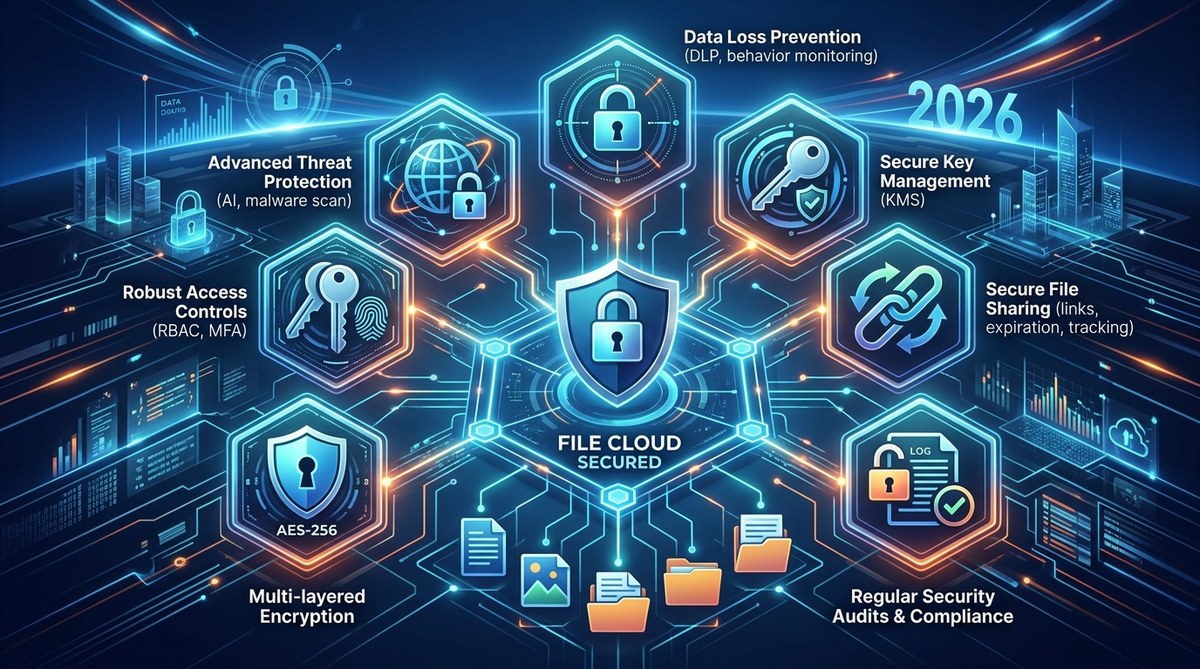
Your file hosting provider holds the keys to your company’s most sensitive data. Contracts, financial records, customer information, intellectual property. If that provider lacks the right security features, a single breach can cost millions and shatter your reputation. The good news? In 2026, the tools to protect your files are more powerful than ever. You just need to know what to look for.
Data breaches from file hosting platforms often stem from a handful of predictable weaknesses: weak access controls, missing encryption, and poor sharing hygiene. By evaluating providers on seven core security features, you can reduce your risk by over 80%. This guide breaks down each feature, explains why it matters, and shows you how to verify a provider actually delivers on it.
Start with the Foundation: End-to-End Encryption
Encryption is your first and most important line of defense. But not all encryption is equal. Many providers encrypt files only while they travel between your device and their server. That is called “encryption in transit,” and it is the bare minimum.
What you really want is end-to-end encryption. This means your files are encrypted on your device before they ever leave. The provider never holds the decryption key. Even if an attacker breaches their servers, all they find is unreadable gibberish.
Look for providers that use AES-256 encryption for data at rest and TLS 1.3 for data in transit. Some platforms also offer zero-knowledge encryption, where the provider literally cannot see the contents of your files. That is the gold standard for 2026.
Enforce Granular Access Controls
A data breach does not always come from an external hacker. Sometimes it comes from someone inside your organization who has too much access. You need a file hosting solution that lets you set permissions at a granular level.
Consider this scenario. Your marketing team needs to view a client presentation. They do not need to edit it, download it, or share it with anyone outside the company. A good platform lets you enforce those rules per user, per folder, and per file.
Look for features like:
– Role-based access controls (RBAC)
– Folder-level permissions
– Time-limited access links
– Download and print restrictions
– IP address allowlisting
These controls let you give people exactly the access they need and nothing more. It is the principle of least privilege applied to your file storage.
Require Multi-Factor Authentication Everywhere
Passwords are no longer enough. In 2026, a file hosting service that does not support multi-factor authentication (MFA) should be an automatic disqualification. Even better, look for providers that make MFA mandatory for all users, not just optional.
The best platforms support multiple MFA methods:
– Authenticator apps (TOTP)
– Hardware security keys (FIDO2/WebAuthn)
– Biometric verification
– SMS codes as a backup
Hardware keys are particularly valuable for administrative accounts. If an attacker steals a password, they still cannot log in without the physical key in your pocket. This single feature stops the vast majority of credential theft attacks.
Maintain a Complete Audit Trail
When a breach happens, you need to know exactly what went wrong. An audit trail records every action taken on your files. Who viewed a document. When they viewed it. What device they used. Whether they downloaded, printed, or shared it.
For IT managers and business owners, this is not just about forensic investigation. It is about accountability. When your team knows their actions are logged, they are far less likely to make careless mistakes.
What to look for in an audit log:
– Timestamps with timezone data
– User identity and device fingerprint
– File name and action type
– IP address and geolocation
– Exportable logs for compliance reporting
Some providers even offer real-time alerts. If a user downloads an unusually large batch of files at 2 AM, you get a notification immediately. That kind of visibility is invaluable.
Implement Secure Sharing with Expiration and Revocation
File sharing is where most breaches happen. Someone sends a link to a client. The client forwards it to someone else. Before you know it, your confidential proposal is on a competitor’s screen.
Secure sharing features prevent this chain reaction. Look for a platform that lets you:
– Set link expiration dates
– Require a password to access shared files
– Limit the number of downloads
– Revoke access at any time, even after the link is sent
– Restrict sharing to specific email domains
A well-designed sharing system treats every link as a temporary credential. When the job is done, the link dies. You never have to worry about a forgotten share coming back to haunt you.
Automate Backup and Versioning
Ransomware attacks are a leading cause of data loss in 2026. An attacker encrypts your files and demands payment. If your file hosting provider has automatic backup and versioning, you can simply roll back to a clean version from before the attack.
Versioning also protects against accidental deletion and human error. Someone on your team overwrites an important spreadsheet with the wrong data. Instead of panicking, you restore the previous version from 15 minutes ago.
Key backup features to demand:
– Automated hourly or daily backups
– Retention policies that keep backups for 30, 60, or 90 days
– Point-in-time recovery
– Geo-redundant storage across multiple data centers
– Immutable backups that cannot be altered by ransomware
Some providers now offer air-gapped backups, where a copy of your data is stored offline. This is the ultimate protection against ransomware.
Comply with Industry Standards and Certifications
Security features mean nothing if they are not backed by independent verification. Look for providers that hold current certifications like SOC 2 Type II, HIPAA, GDPR, and ISO 27001. These certifications require annual audits by third parties.
Do not just take the provider’s word for it. Ask for their latest audit report. A reputable company will share it without hesitation.
Here is a quick comparison of what different certifications mean for your business:
| Certification | What It Covers | Best For |
|---|---|---|
| SOC 2 Type II | Security, availability, processing integrity, confidentiality, privacy | Most businesses |
| HIPAA | Protection of protected health information (PHI) | Healthcare and related industries |
| ISO 27001 | Information security management system | Enterprise and global operations |
| GDPR | Data protection and privacy for EU residents | Companies with European customers |
| FedRAMP | Security standards for cloud services used by US government | Government contractors |
“A certification is not a guarantee of security, but it is a strong signal that the provider takes security seriously enough to pay for an independent audit.” — Industry security analyst
How to Evaluate a Provider’s Security Claims
You cannot just read a feature list and call it done. You need to verify. Here is a practical three-step process you can use today.
-
Request a security questionnaire. Most enterprise providers have a standard document they share with prospects. It covers encryption, access controls, incident response, and compliance. If they do not have one, that is a red flag.
-
Run a trial with real users. Give five team members access for a week. Have them share files internally and externally. Test the revocation and expiration features. See how the audit logs look. A good platform will feel natural to use while still enforcing security.
-
Check their vulnerability disclosure program. Does the provider have a public bug bounty or a way for researchers to report issues? Companies that welcome outside scrutiny are usually more confident in their security.
For a deeper look at how to apply these principles in your specific workflow, check out our guide on top secure file sharing methods for developers in 2026.
Common Mistakes That Undermine Security
Even the best file hosting platform cannot protect you if you make these errors.
- Using the same password across multiple services. A breach at another company gives attackers access to your file storage.
- Leaving default sharing settings enabled. Most platforms default to “anyone with the link can view.” Change this immediately.
- Forgetting to revoke access for former employees. This is one of the most common causes of data leaks.
- Ignoring mobile device security. If your team accesses files from personal phones, those devices need protection too.
For a full breakdown of what can go wrong and how to prevent it, read our article on 5 common file hosting mistakes that slow down your app.
Build Your Security Checklist for 2026
Before you sign a contract with any file hosting provider, run through this checklist.
- Does the provider offer end-to-end encryption with zero-knowledge architecture?
- Can I set granular access controls per user and per file?
- Is multi-factor authentication required for all accounts?
- Does the platform maintain a detailed, exportable audit trail?
- Can I set expiration dates and revoke shared links at any time?
- Are automatic backups and versioning included in the plan?
- Does the provider hold SOC 2 Type II or equivalent certification?
- Have I tested the platform with real users and workflows?
If the answer to any of these is no, keep looking. The cost of a breach far outweighs any savings from a cheaper, less secure provider.
For more guidance on choosing the right solution, see our ultimate guide to choosing the best cloud storage for digital files.
Your Files Deserve a Real Security Strategy
The seven features we covered are not nice to have. They are essential in 2026. Encryption, access controls, MFA, audit trails, secure sharing, backups, and compliance certifications work together to create a defense that protects your data from every angle.
Start by auditing your current file hosting setup. Compare it against the checklist above. If you find gaps, you now know exactly what to ask for when evaluating alternatives. Your team, your clients, and your bottom line will thank you.