
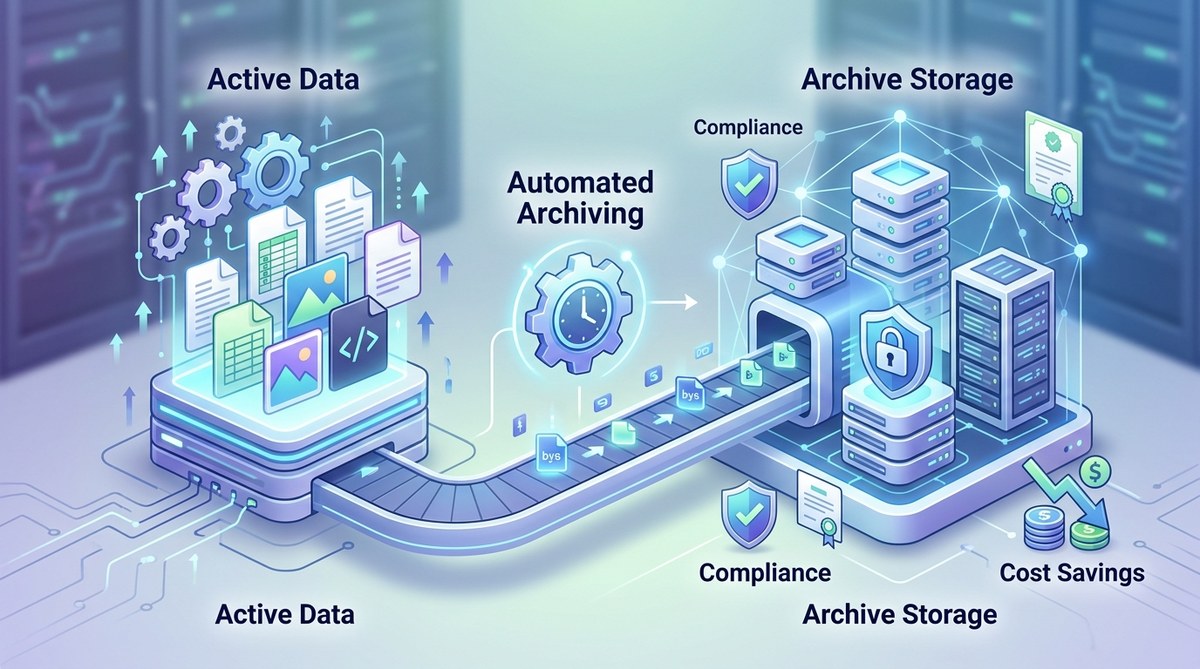
Regulatory audits are stressful enough without worrying about whether your file retention policies actually hold up. You know the stakes: a failed HIPAA audit can cost millions, a GDPR violation can cripple your reputation, and SOX noncompliance can land executives in serious legal trouble. But here is the tension most IT teams face today. You need to keep data safe and accessible for years. You also need to stop paying a fortune for active storage that is filled with stale files. The answer is not a manual cleanup every quarter. It is a system that runs itself. Let us walk through how to set up automated file archiving for compliance so you can sleep better at night and trim your storage budget at the same time.
Automated file archiving is the only scalable way to meet regulatory retention rules while cutting storage costs. This guide covers the five step process for building a compliant archive, the common mistakes that trip up IT teams, and how to choose the right tools. By the end, you will have a clear blueprint to protect your organization from audit failures and runaway cloud bills.
Why manual archiving fails modern compliance
Think about the last time you asked a team member to clean up old files. Maybe it was a shared drive full of project folders from 2019. Someone probably moved a few folders to cold storage, missed a dozen critical records, and accidentally deleted something that should have been kept for seven years. That is not a failure of effort. It is a failure of process.
Manual archiving introduces three problems that compliance officers hate. First, human error. People forget files, skip folders, or misjudge retention periods. Second, inconsistency. Different teams use different naming conventions and folder structures, so your archive becomes a mess of duplicates and gaps. Third, cost leakage. Every day a file sits on expensive SSD storage when it could be in an archive tier is money wasted.
Automated file archiving for compliance fixes all three. It applies consistent rules across your entire data estate, tags files with retention metadata automatically, and moves data to cheaper tiers without anyone lifting a finger.
The five step blueprint for automated compliance archiving
Building an automated archive that satisfies auditors and your finance team is not complicated, but it does require a structured approach. Here is the process I recommend to every IT manager I work with.
-
Map your data landscape. Before you automate anything, you need to know what you have. Run a discovery scan across all file servers, cloud buckets, and NAS devices. Catalogue file types, creation dates, last access dates, and ownership. You will likely find that 40 to 60 percent of your data has not been touched in over a year. That is your prime archiving target.
-
Define retention policies per regulation. GDPR, HIPAA, and SOX each have different requirements. Financial records under SOX need to be kept for seven years. Patient health information under HIPAA must be retained for six years from the date of creation or last use. GDPR demands data minimization, meaning you must purge what you no longer need. Create a policy matrix that maps file categories to retention periods. Use a tool that can apply these rules automatically based on file metadata.
-
Choose your archive tiers. Not all archives are created equal. Hot storage is expensive and fast. Cold storage is cheap and slower. Archival tiers like Amazon S3 Glacier or Azure Archive Storage cost pennies per gigabyte but have retrieval times measured in hours. For compliance, that is usually fine. Auditors rarely need data back in seconds. They need proof that it exists and is intact. Use a tiered approach: move files to cold storage after 90 days of inactivity, then to archival storage after one year.
-
Automate the migration with policy engines. Tools like AWS Data Lifecycle Manager, Azure Blob Storage Lifecycle Management, or third party solutions like Veritas or Commvault can execute your policies on a schedule. Set them to run nightly. Every file that matches your criteria gets tagged, moved, and logged. The log is your audit trail. It shows exactly when each file was archived, where it lives, and when it will be eligible for deletion.
-
Test your restoration process. This is the step most teams skip. They set up archiving, pat themselves on the back, and then panic when an auditor asks for a file from 2021. Run a quarterly restoration test. Pull a random sample of archived files and verify they open correctly. Document the retrieval time. If your SLA requires 24 hour restoration, make sure your cold storage provider can deliver.
Common mistakes that undermine compliance archiving
Even experienced IT teams make errors when setting up automated file archiving for compliance. Here are the most frequent pitfalls and how to avoid them.
| Mistake | Why it hurts | How to fix it |
|---|---|---|
| Archiving everything without classification | You keep junk data that should be deleted, increasing storage costs and legal exposure | Apply classification tags before archiving. Purge data that has no retention requirement |
| Using only one storage tier | You overpay for active tier storage or underperform on retrieval speed | Use a three tier model: hot, cold, and archival. Match each file to the appropriate tier |
| Forgetting to encrypt archived data | Archived files are vulnerable to breaches, especially in cold storage | Enable server side encryption at rest. Use customer managed keys for sensitive data |
| No audit trail for deletions | Regulators want to know why a file was deleted and who approved it | Log every deletion with a reason code and an approval timestamp. Store logs separately from archives |
| Ignoring data residency laws | Moving data across borders can violate GDPR or local regulations | Configure geographic restrictions on your archive buckets. Use region specific storage endpoints |
What to look for in an archiving tool
Not all archiving solutions handle compliance equally well. When you evaluate tools, focus on these capabilities.
- Policy based automation. The tool should let you write rules like “move all PDFs older than 365 days to cold storage” without scripting.
- Immutable storage. Some regulations require that archived data cannot be modified or deleted before the retention period ends. Look for write once, read many (WORM) support.
- Granular metadata tagging. Your archive is only useful if you can find files later. The tool should tag files with retention dates, file types, and compliance categories during the archiving process.
- Cross platform support. If you have files on Windows servers, Linux NFS shares, and AWS S3, your archiving tool needs to work across all of them. A single pane of glass saves you from managing multiple scripts.
- Cost reporting. You need to see how much money you are saving by moving data off expensive tiers. Good tools provide dashboards that show cost avoidance over time.
For a deeper look at how to choose the right infrastructure, check out our guide on choosing the best cloud storage solutions for seamless file management.
Real numbers: what automated archiving saves
Let us ground this in real world math. A mid size enterprise I worked with had about 200 terabytes of file data spread across on premises NAS and cloud storage. They were paying roughly $50 per terabyte per month for active storage. That is $10,000 per month, or $120,000 per year.
After a data audit, they found that 130 terabytes had not been accessed in over 18 months. They moved that data to an archival tier costing $5 per terabyte per month. Their monthly bill dropped from $10,000 to $4,150. That is a savings of $70,200 per year. And their compliance posture improved because every archived file had a retention policy and an audit trail.
If you want to see how this fits into a broader cost reduction strategy, read our article on how to reduce file hosting costs without sacrificing performance in 2026.
“Automated archiving is not just about saving money. It is about proving to regulators that you have control over your data lifecycle. If you cannot show a clear chain of custody for every file, you are one audit away from a disaster.” Senior Compliance Analyst, Fortune 500 healthcare firm
How to handle edge cases in retention
Not every file fits neatly into a policy bucket. Here are three edge cases you will encounter and how to handle them.
- Legal holds. If your organization is involved in litigation, certain files must be preserved regardless of retention schedules. Your archiving system needs to support legal hold flags that override automated deletion. Make sure your tool can freeze files at the folder or file level.
- Employee departures. When someone leaves the company, their files often become orphaned. Automate a workflow that transfers ownership to a manager, applies a 90 day review period, and then archives or deletes based on policy. This prevents data loss and reduces clutter.
- Files with mixed compliance requirements. A single document might contain both financial data (SOX) and personal data (GDPR). Apply the longer retention period by default. If in doubt, keep it longer. You can always delete early if your legal team approves, but you cannot recover a file you deleted too soon.
For more on handling data security during these processes, see our piece on top strategies for securing your cloud storage data.
Building your audit ready archive
An auditor will not just ask if you archive files. They will ask for proof. Here is what your audit trail should include.
- A timestamp of when each file was archived.
- The retention policy that was applied.
- The storage location (region and bucket name).
- A hash or checksum to verify file integrity.
- A deletion date and approval record if the file was purged early.
Store your audit logs in a separate, immutable bucket. If someone accidentally deletes an archived file, your log still proves it existed and was handled correctly. That can be the difference between a passing audit and a finding.
Setting up automated file archiving for compliance without overcomplicating it
The best system is one that runs quietly in the background and only surfaces when an auditor calls. Start small. Pick one file share or one cloud bucket. Apply your retention policies. Watch the cost savings appear in your monthly bill. Then expand to the rest of your environment.
Automated file archiving for compliance is not a project you finish once. It is a practice you maintain. Review your policies every year. Regulations change. Your data grows. But with the right automation in place, you will always stay ahead.
Now go set up that first policy. Your future self, and your CFO, will thank you.