
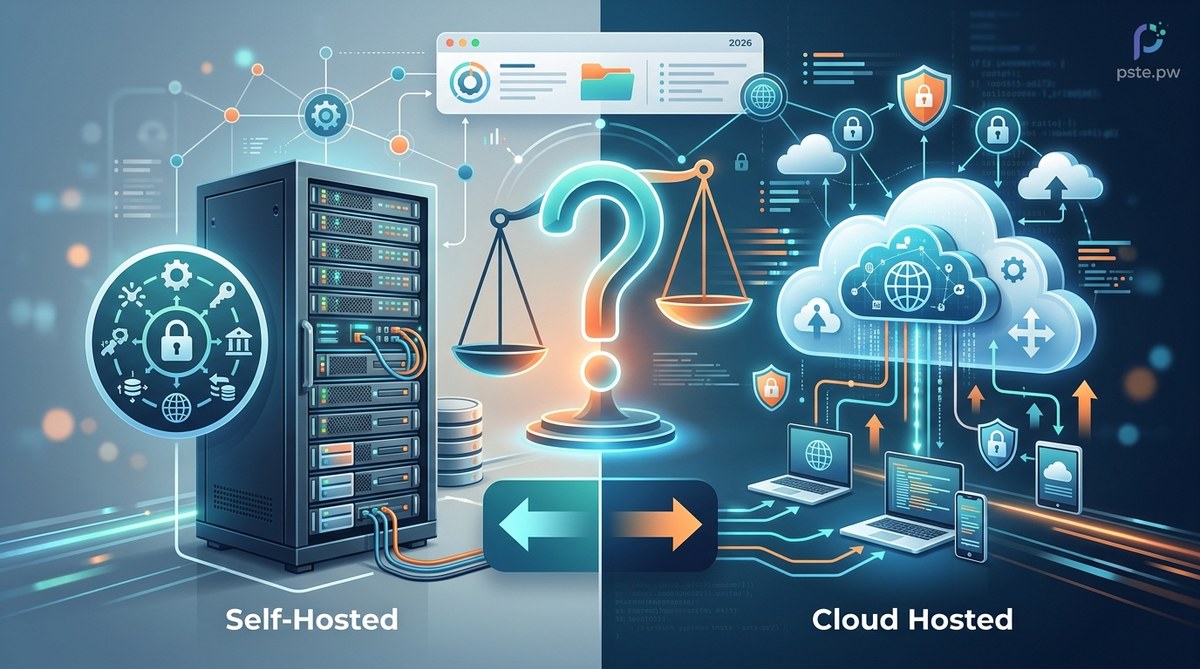
Deciding between self-hosted file storage and a managed cloud service in 2026 feels a lot like choosing between buying a house and renting an apartment. Both give you a place to keep your things. But the tradeoffs in cost, control, and daily upkeep are very different. For developers and project managers, the right choice depends on your project's stage, your team's appetite for maintenance, and how much you value data sovereignty. This self-hosted file storage comparison 2026 guide breaks down the real tradeoffs so you can make a decision with confidence.
Self-hosted file storage gives you full control over your data and avoids recurring per-seat fees, but it demands upfront hardware investment, ongoing maintenance time, and security expertise. In 2026, the best choice depends on your project size, compliance needs, and team capacity. Use the framework below to decide where your project fits.
What Self-Hosted File Storage Looks Like in 2026
Self-hosting is no longer just for hobbyists running a Raspberry Pi in their closet. The ecosystem has matured. Projects like Nextcloud, ownCloud, Seafile, and FileCloud offer polished interfaces, mobile apps, and enterprise features that rival Google Drive or Dropbox. You can run them on a $10 VPS, a dedicated server, or even a Kubernetes cluster.
The difference in 2026 is that the bar for user experience has risen. A self-hosted setup today can include automatic file versioning, end-to-end encryption, real-time collaboration on documents, and integration with LDAP or OAuth. The gap between self-hosted and managed has shrunk.
But the operational gap remains. Running your own storage means you own the backups, the upgrades, the SSL certificates, and the 3 AM outage calls. That part has not changed.
Why Teams Choose Self-Hosting
Teams who decide to self-host usually have one or more of these motivations:
-
Data control and privacy. Your files live on hardware you control. No third party scans your documents for training data or advertising profiles. For industries with strict data residency rules like healthcare, finance, or government, this is often a requirement.
-
Cost predictability at scale. Managed file storage charges per user per month. Once you cross 50 or 100 users, the math shifts. Self-hosting replaces per-seat fees with a fixed infrastructure cost.
-
Custom integration freedom. You can write custom hooks, connect internal authentication systems, or build workflows that a SaaS product would never support.
-
No sudden policy changes. When a cloud provider changes its terms, removes a feature, or raises prices, you are stuck. Self-hosting insulates you from that.
-
Offline and air-gapped capability. Some projects need to operate in environments with limited or intermittent internet access. Self-hosted storage works on local networks.
The Real Cost of Running Your Own Storage
The most common mistake teams make is comparing only the sticker price of a VPS against a managed plan. That comparison misses the full picture. Here is a more honest breakdown:
| Cost Factor | Self-Hosted | Managed Cloud |
|---|---|---|
| Monthly infrastructure | $10 to $200 (VPS or server) | $10 to $60 per user per month |
| Setup and configuration | 8 to 40 hours of engineering time | 15 minutes to 1 hour |
| Ongoing maintenance | 2 to 8 hours per month | Zero (handled by provider) |
| Backup and disaster recovery | You build and test it | Included in most plans |
| Security patching | Your responsibility | Automatic |
| Scalability engineering | Manual or automated by you | Automatic |
| Compliance documentation | You maintain it | Provided by vendor |
The table shows a clear pattern. Self-hosting can save money at scale, but it shifts work onto your team. If your engineering time is expensive, or your team is already stretched thin, the managed option often wins on total cost.
"The teams that succeed with self-hosted file storage treat it as an engineering investment, not just a cost saving. They budget for at least one person to own backups, security patches, and performance monitoring. The teams that fail treat it as 'set it and forget it' and end up with data loss or a breach." - Infrastructure lead at a mid-size SaaS company, 2026
A Simple Process to Decide If Self-Hosting Is Right for You
Use these five steps to evaluate your project. Each step filters out teams that should stick with managed storage.
-
Count your users and storage needs. If you have fewer than 10 users and under 500 GB of data, managed storage is almost always cheaper and easier. Self-hosting only begins to make financial sense above that threshold.
-
Assess your compliance requirements. Do you need HIPAA, FedRAMP, SOC 2 Type II, or GDPR data residency? If yes, check whether your managed provider offers those certs. If they do not, self-hosting may be your only option. If they do, the compliance burden of self-hosting might not be worth it.
-
Calculate your team's available engineering hours. Be honest. Does your team have 4 to 8 hours per month to dedicate to storage maintenance? That includes patching, monitoring, backup testing, and performance tuning. If the answer is no, do not self-host.
-
Evaluate your tolerance for downtime. Self-hosted storage depends on your infrastructure. If your VPS goes down, your files go down. If your backup fails, your data is gone. Managed services offer SLAs of 99.9% or higher. Can your project accept the risk of self-hosted reliability?
-
Run a 30 day trial with real data. Pick one solution like Nextcloud or Seafile. Install it on a small VPS. Upload real files. Invite a few team members to use it for daily work. After 30 days, you will know exactly what the maintenance burden feels like.
Popular Self-Hosted File Storage Options in 2026
The market has consolidated around a few strong players. Each has a different sweet spot.
Nextcloud remains the most popular option. It includes file sync, calendar, contacts, email, collaborative document editing via Collabora, and video calling. It runs on virtually anything from a Raspberry Pi to a 64 core server. The app ecosystem is large, and the community is active. Best for teams that want an all-in-one collaboration platform.
ownCloud Infinite Scale is a complete rewrite of the original ownCloud. It is faster, uses Go for the backend, and scales well. It focuses on file sync and share without the extra apps. Best for teams that want a lightweight, high-performance file sync engine.
Seafile is known for speed and reliability. It uses a unique storage backend that handles large files and many small files well. Its client-side encryption is mature. Best for teams that prioritize performance and encryption.
FileCloud is a commercial product with a self-hosted option. It offers strong compliance features, branded portals, and granular policy controls. Best for regulated industries that need audit trails and retention policies.
For a deeper look at how these compare on security features, check out our guide on top secure file sharing methods for developers in 2026.
Security and Compliance: The Self-Hosted Reality
Security is often the reason teams choose self-hosting, but it is also the reason they fail at it. Running your own storage means you are responsible for:
- Keeping the operating system and application patched
- Configuring firewalls and network access controls
- Managing encryption keys for data at rest and in transit
- Monitoring for unauthorized access attempts
- Maintaining an audit log of file access and changes
If your team has a dedicated security engineer or a DevOps person who owns infrastructure, these tasks are manageable. If not, the risk of a misconfiguration exposing your files is real.
For projects that need strong protections, read our top strategies for securing your cloud storage data guide for practical tactics that apply to both self-hosted and managed setups.
When Managed Storage Makes More Sense
Managed file storage is not the enemy. In many situations, it is the smarter choice. Consider a managed service when:
- Your team has fewer than 20 users and the per-seat cost is affordable
- You need enterprise SLAs with guaranteed uptime
- You prefer to spend engineering time on your core product, not on storage
- You need advanced compliance certifications that are expensive to achieve on your own
- Your storage needs fluctuate dramatically month to month
Managed services have also improved. Many now offer client-side encryption, so even the provider cannot read your files. That removes the biggest privacy objection.
If you are evaluating whether managed cloud storage fits your needs, the ultimate guide to choosing the best cloud storage for digital files can help you compare options.
Why Bandwidth and Performance Matter More in 2026
One factor that teams often overlook is bandwidth. Self-hosted storage behind a residential or small business internet connection will struggle with remote team access. Uploads and downloads will be slow. Latency will frustrate users.
In 2026, most self-hosted setups run on a VPS in a data center, not on a server in an office closet. That solves the bandwidth problem, but it adds a monthly cost that must be factored into the comparison.
For a closer look at how bandwidth affects your choice, read our article on why file hosting bandwidth matters for your saas application in 2026.
Making the Call for Your Project
There is no universal right answer. The decision comes down to three variables: the size of your team, the value you place on control, and the engineering hours you can dedicate to operations.
A simple heuristic:
- Small team, low compliance, limited DevOps: use managed storage
- Medium team, moderate compliance, some DevOps: consider self-hosting with Nextcloud or Seafile
- Large team, strict compliance, dedicated ops: self-hosting can save significant money and give you full control
Whatever you choose, start small. Run a trial. Measure the real cost in time and money. Then scale from there.
If you want to optimize your setup further once you decide, our best practices for efficient file uploads and management in cloud storage guide covers tuning, caching, and automation strategies that work for both self-hosted and managed environments.
A Final Word on Data Sovereignty
The strongest argument for self-hosted file storage in 2026 is not cost. It is not even security, though both matter. The strongest argument is ownership. Your data, your rules, your timeline. No provider can change their terms and leave you scrambling. No acquisition can orphan your files.
That peace of mind is real. It is also expensive. It demands attention, skill, and ongoing care.
If your project is at a stage where you can invest that attention, self-hosting is one of the most rewarding infrastructure decisions you can make. If not, the best move is to pick a managed service you trust, use client-side encryption, and revisit the decision when your team grows.
Either path works. The key is choosing the one that fits where you are right now.